

I have a soft spot for Kindle. I love devices with unusual sensors and new wireless standards, but there’s something very pleasant about a gadget whose main purpose is to let you open a book instead of scrolling through Reels or listening to music.
Amazon is now making its first major changes to the exterior in quite some time.
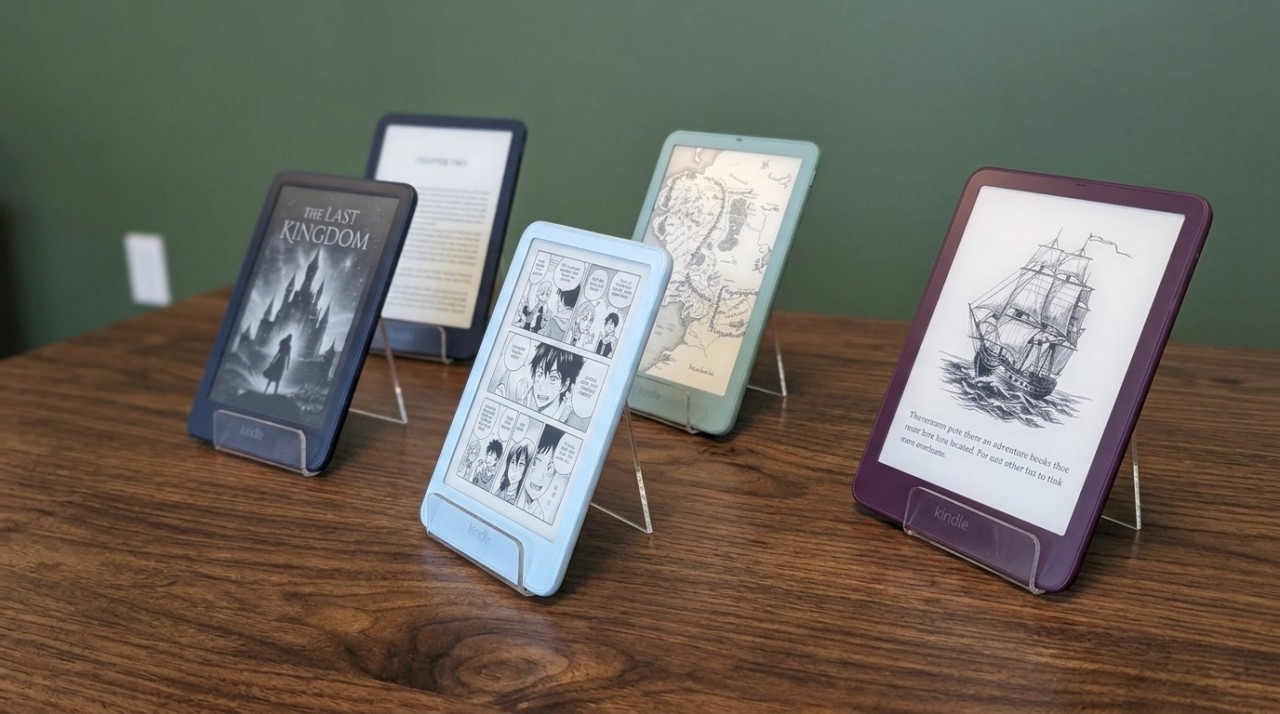
The new Kindle lineup starts at $149.99, and Amazon has redesigned all its main models. Each gets a flush-front display, the basic Kindle opens books up to 30% faster, and the lineup extends all the way to the Colorsoft Signature Edition. Amazon introduced the new Kindle family on October 1.
The pricing is almost as interesting to me as the redesign itself. There’s a $170 difference between the cheapest and most expensive models, so the first step is to see exactly what you get at each price point.
Six New Kindle Options, Each With a Clear Purpose
I’ve put together a model comparison for you so you don’t have to struggle with that part yourself!
| Model | Storage | US Price | Main Difference |
| Kindle | 16 GB | $149.99 | 6-inch display and basic new design |
| Kindle Aluminum | 32 GB | $189.99 | Twice the storage and an aluminum back |
| Kindle Paperwhite | 16 GB | $199.99 | Larger display, waterproof body, warm light, and longer battery life |
| Paperwhite Signature Edition | 32 GB | $249.99 | Auto-adjusting light, aluminum back, dock charging, and double-tap page turn |
| Kindle Colorsoft | 16 GB | $289.99 | Color E Ink display |
| Colorsoft Signature Edition | 32 GB | $319.99 | More storage and Signature features |
Amazon’s official overview of the new Kindle lineup shows how the range is now divided between basic reading, Paperwhite features, and color displays.
The Basic Kindle Gets the Biggest Design Change
The basic model retains its 6-inch display and 16 GB of storage, with up to six weeks of battery life. Amazon also reports 30% faster book opening compared with the previous generation. It’s important to be precise about that figure: the company is referring to opening books, not claiming that every page turn is 30% faster.
The raised bezel around the screen is gone. Amazon has changed the arrangement of the display, touch, and front-light layers to create a flat front surface.
TechCrunch reports that the Kindle detects the area of the screen where a finger rests and temporarily treats it as an inactive zone. That should reduce accidental page turns as you hold the device.
The First Model I’d Consider Is the Paperwhite
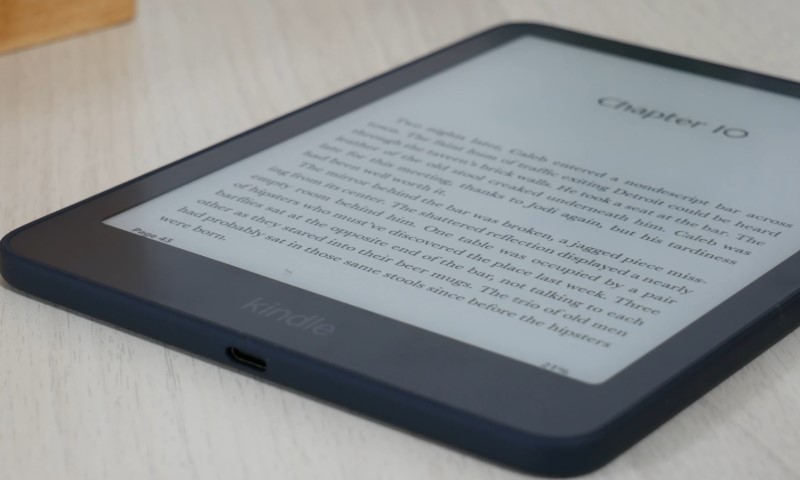
The Paperwhite now uses an oxide thin-film transistor backplane, and Amazon claims it has the highest contrast ratio the company has ever offered in this model. You also get up to 12 weeks of battery life, a waterproof body, and adjustable warm front lighting.
The Signature Edition adds automatic light adjustment, an aluminum back, and support for a pogo-pin charging dock.
There’s also double-tap page turn.
You double-tap the back of the device to turn the page. I haven’t used it, so I’d want to try that feature for a few days before reaching any conclusions.
Colorsoft Still Comes Down to One Question: How Much Does Color Matter to You?
With the Colorsoft, the display is the whole story.
Amazon has redesigned the light guide, uses nitride LED lighting, and has added micro-deflectors to reduce light scattering. A thinner optical layer should improve display clarity, and custom waveforms control how the color E Ink refreshes.
If you mainly read novels, I find it hard to see how a color display would change the way I use a Kindle.
Comics, graphic novels, and heavily illustrated books are a different story because color is a fundamental part of the experience.
According to BGR, the new Colorsoft starts shipping on October 28, so its release date should be distinguished from that of the basic Kindle, which has already gone on sale.
The Strangest Part of the New Family – Kindle Click

Amazon has also introduced Kindle Click, a Bluetooth remote for turning pages.
You press a button, and the Kindle moves to the next page. That’s its entire function.
My first reaction was that we’ve become incredibly lazy if we don’t even want to touch a screen anymore. Then I remembered people who keep their Kindles on stands beside their beds or read on a treadmill.
Kindle Click works with the new models and Kindle devices introduced since 2024. Amazon also offers a Page Turn Cover with physical buttons, as well as a charging dock for Signature Edition models.
Would I Replace My Old Kindle?
If my current Kindle opens books quickly, the battery still holds a good charge, and I’m happy with the screen, I wouldn’t replace it just because a new generation has arrived.
That’s one of the things I appreciate about this category.
A Kindle that’s several years old can still do its main job almost as well as a new device.
I’d probably add Kindle Click to my cart out of pure curiosity, then spend the next few days trying to explain to people why a remote control for a book was absolutely essential to me.